Install
- Put our recovery on the phone. Only once.
- Format data, if you are coming from MuditaOS or another system.
- Install the update package from the recovery.
What you need
- An unlocked bootloader: see Unlocking.
KompaktOS-Kernel-LineageOS-Recovery-1.0.img: our kernel and recovery.- One update package, for your phone and edition:
| GApps | Vanilla | |
|---|---|---|
| Global | KompaktOS-1.0-Global-GApps.zip | KompaktOS-1.0-Global-Vanilla.zip |
| North American | KompaktOS-1.0-USA-GApps.zip | KompaktOS-1.0-USA-Vanilla.zip |
Not sure which phone you have? See Editions.
The md5 of every file is on its release page: KompaktOS 1.0 and the recovery.
1. Put the recovery on the phone
- Already in the bootloader
- Booted in MuditaOS
You just unlocked the bootloader with Unlocking and the phone has not restarted since.
fastboot flash boot /path/to/KompaktOS-Kernel-LineageOS-Recovery-1.0.img
fastboot reboot recovery
The phone is on, with an unlocked bootloader and USB debugging turned on.
adb reboot bootloader
fastboot flash boot /path/to/KompaktOS-Kernel-LineageOS-Recovery-1.0.img
fastboot reboot recovery
- Drag the file onto the terminal window to paste its path, or copy and paste the path if your system allows it.
- Only needed once: every update package brings the recovery with it.

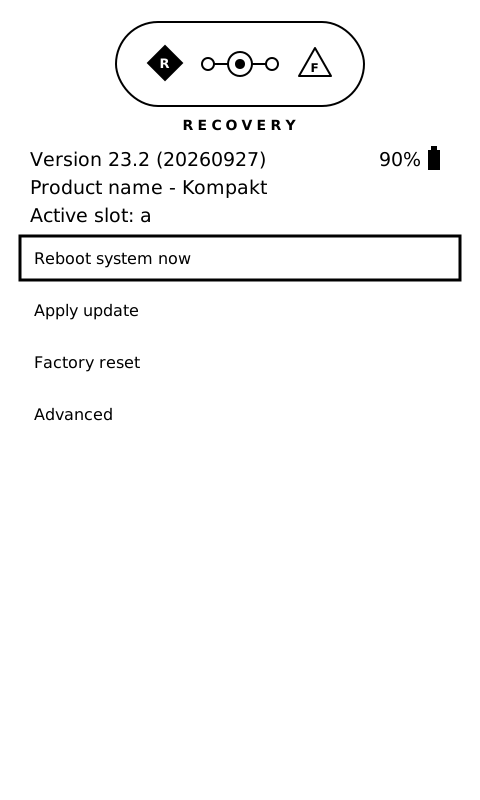
LineageOS recovery works both by touch and with the buttons: Volume-Up and Volume-Down to move, Power to select.
2. Coming from another system: format data
In the recovery: Factory reset → Format data/factory reset.
- Erases everything on the phone. Back up first: see Backup.
- Skip it if the phone already runs KompaktOS.
- Forgot? Do it after step 3, before restarting.
3. Install the package
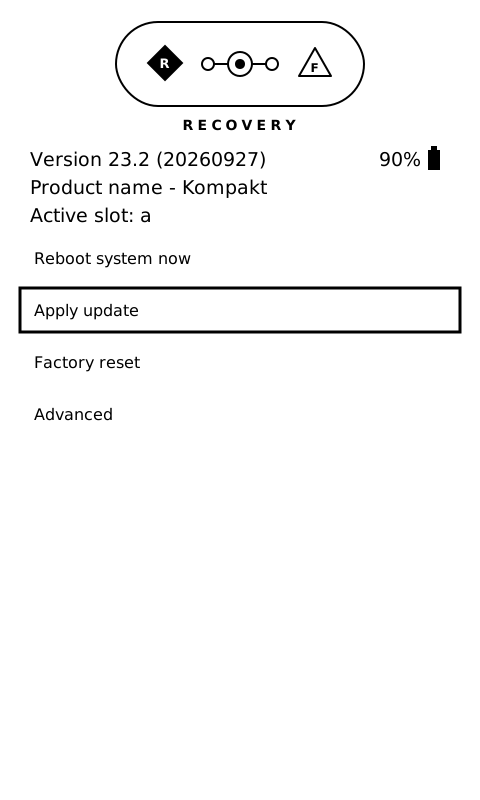
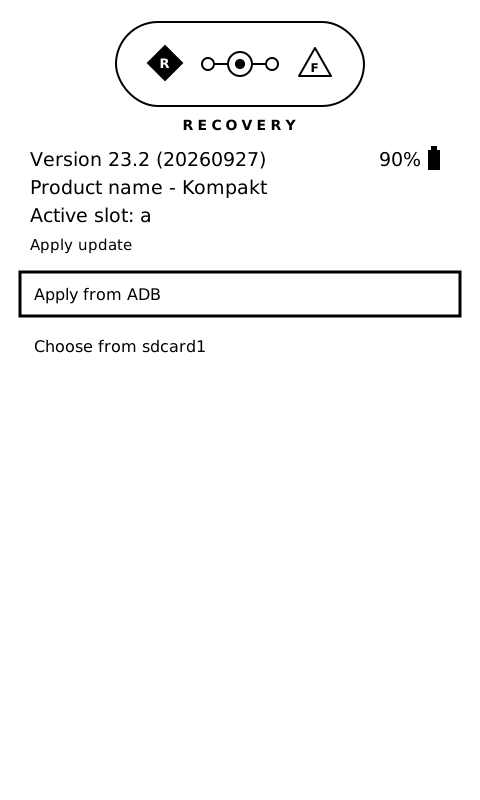
-
Apply update → Apply from ADB.
-
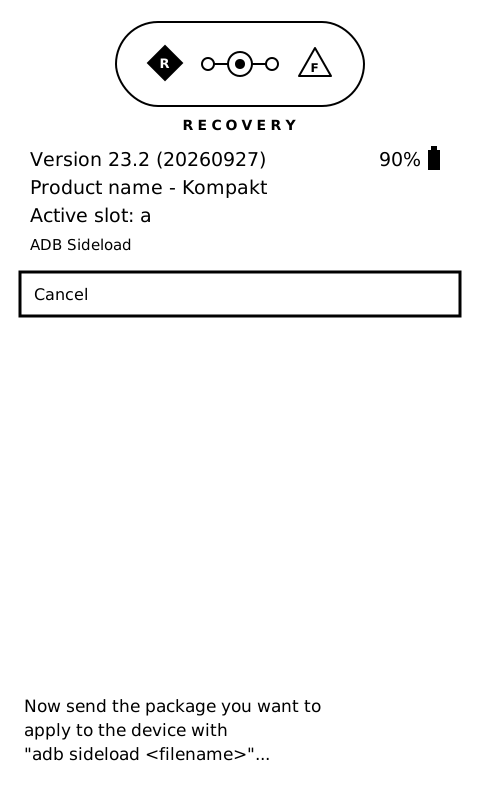
On the computer:
adb sideload /path/to/KompaktOS-1.0-Global-GApps.zip
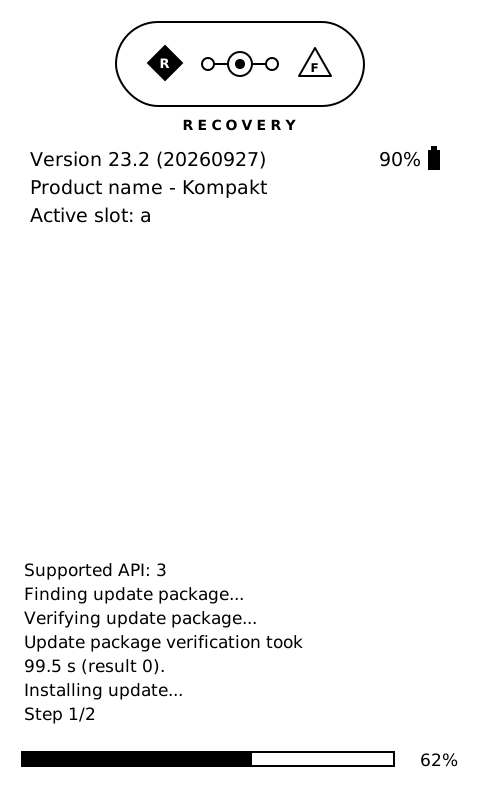
The computer's counter stops at about 47% and stays there. That is normal: the phone has read the whole file and installs it from memory. Watch the bar on the phone instead. It takes about 7 minutes. Do not interrupt it.
You can also install from the SD card instead of over USB: see Updates.
4. Restart
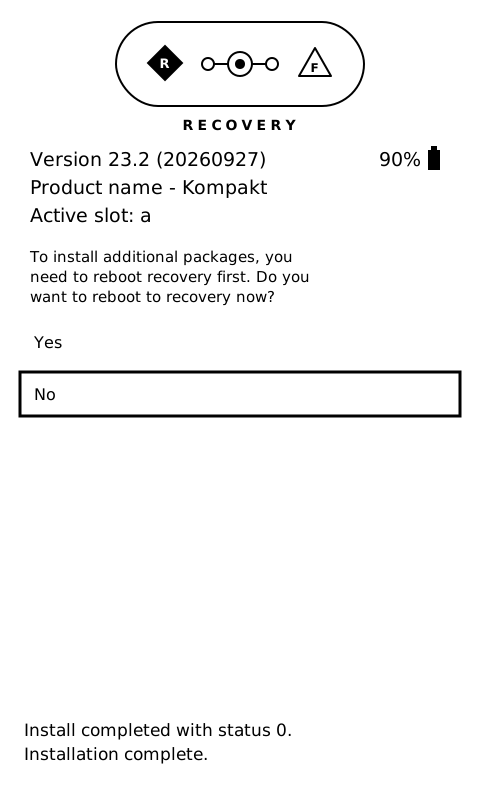
When it finishes, it asks whether to reboot to recovery to install more packages. Choose No, then Reboot system now.
The phone now runs from the other slot, A or B. That is normal: see Slots A and B.
The first start
The first start takes several minutes, and the phone can feel slow for a while after: see The first start.
Next
- Post install: most carriers need calls over 4G, which needs one extra install. See Post install.
- Later updates: the same package, the same way, without the first two steps. See Updates.