Backup
Seedvault, LineageOS's backup app, saves your apps and their data, SMS, call log, contacts and settings, and puts them back when you set up the phone again.
Set it up
Settings → System → Backup.
- Backup location: pick the SD card or a USB-C stick. Not the phone's own storage, which a reset erases.
- Write down the recovery code it shows. Without it, the backup cannot be opened.
- Turn on Backup my apps.
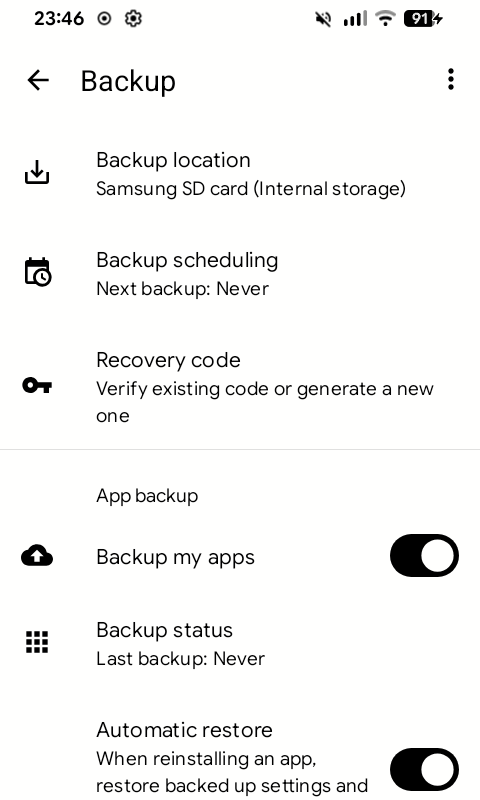
To back up now instead of waiting, open the ⋮ menu and choose to back up now. Backup status shows when the last backup ran.
Restore
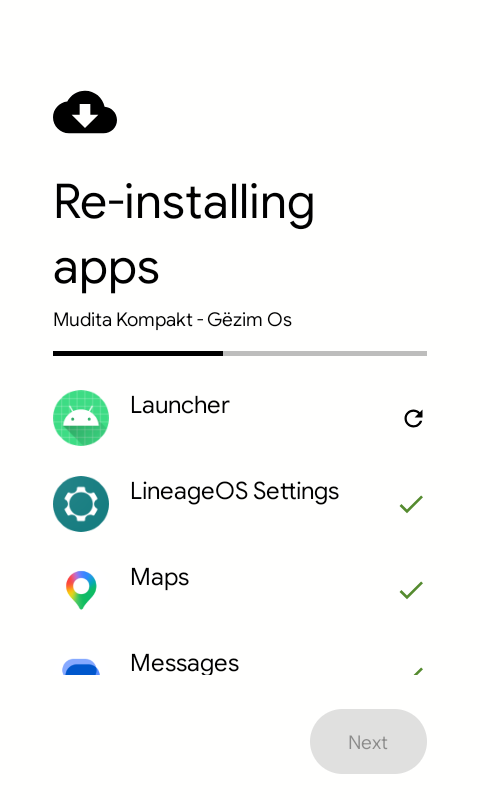
When you set up the phone again, choose to restore from a backup, pick the SD card or stick, and enter your recovery code. Seedvault then reinstalls your apps with their data.
Not in the backup
-
Photos, downloads and other files. Copy them to your computer:
adb pull /sdcard/ kompakt-files/ -
Apps that refuse to be backed up, such as WhatsApp, Signal and banking apps. Use each app's own backup first. Backup status lists them.