Understanding Android
The few things worth knowing before you install.
Typing commands
- Commands are typed on your computer, with the phone connected by USB.
- Use Terminal on macOS, a terminal on Linux, or Command Prompt on Windows.
- Type the command after the prompt (
$,%or>) and press Enter. Do not type the prompt itself.

The two files
- The recovery (
KompaktOS-Kernel-LineageOS-Recovery-1.0.img): flashed once, from the bootloader. - The update package (
KompaktOS-1.0-….zip): installs KompaktOS from the recovery. Every update after that is a new package.
Slots A and B
- The phone keeps two copies of the system, slot A and slot B.
- Each install or update goes into the other slot and switches to it.
- So running from B is normal. Do not switch slots yourself.
The screens
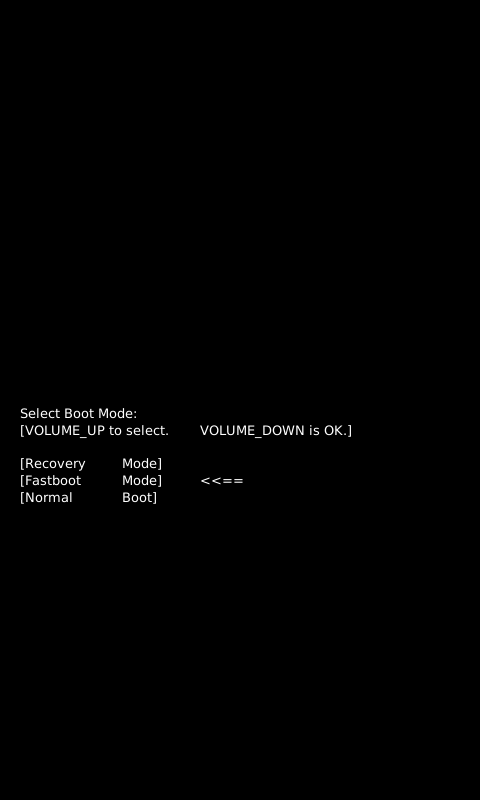
Bootloader
One line of text and nothing else. This is where the recovery is flashed. Get
there with adb reboot bootloader, or hold Volume-Down while plugging in USB.

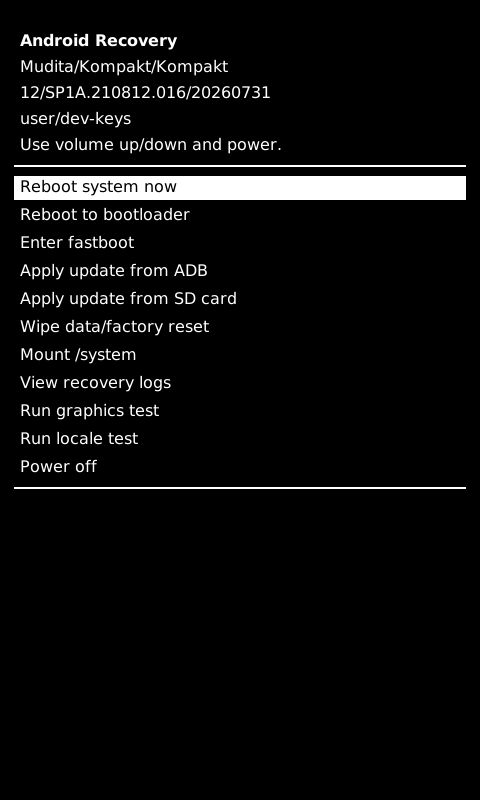
Recovery
Our LineageOS recovery installs KompaktOS and its updates, over USB or from an
SD card. Get there with adb reboot recovery.
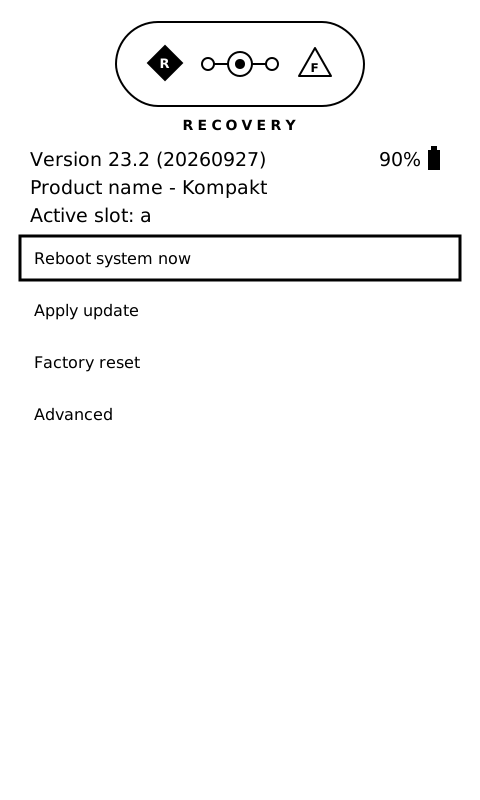
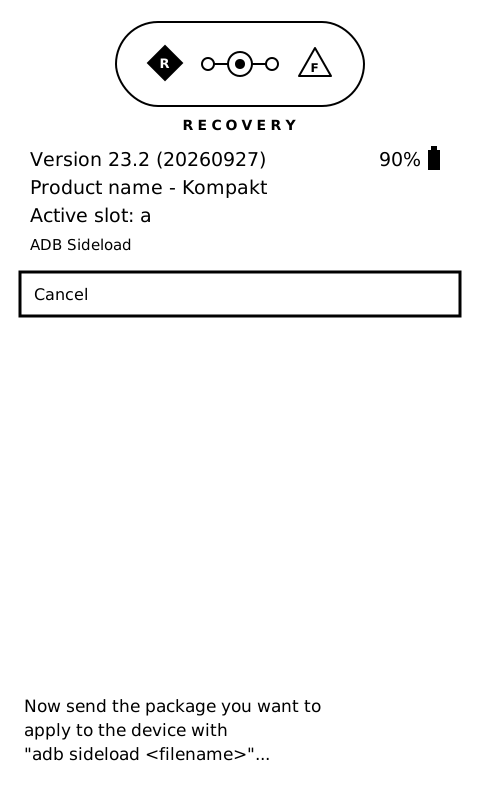
Seeing Mudita's recovery instead? Then our LineageOS recovery is not on the phone yet: do Install, step 1 first.

Boot mode menu
Hold Power and Volume-Up.
- Volume-Up moves the arrow, Volume-Down picks.
- The screen is slow here: wait a few seconds after each press.